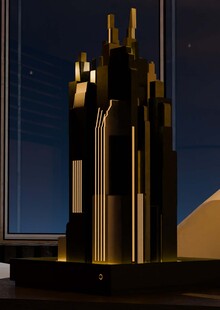
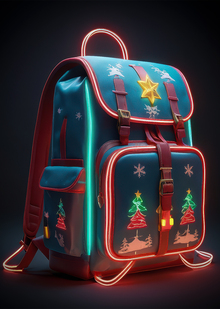
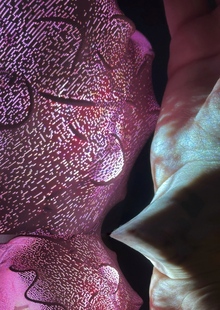
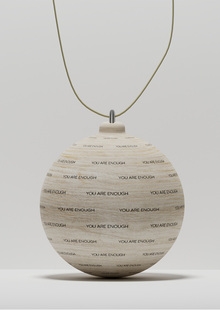
As part of a course on creating physical objects using AI, I developed a series of interior compositions designed as various potted plants. What distinguishes these from regular flora is that the statuettes are decorated to resemble metal and precious stones, and their bases are 3D-printed. This collection promotes the idea of beautiful, low-maintenance indoor plants that will perpetually delight their owners.
For concept development, I utilized the Midjourney neural network. To generate aesthetically pleasing renders, I used the prompt «a simple cartoony 3d model of a berry branch in a vase, made of precious stones,» substituting «berry branch» with cactus, lotus flower, and other plants from the series.
Next, to prepare for production, I uploaded the resulting sketches to the Hunyuan neural network, which quickly generated high-quality 3D models for me. Although they already looked perfect in terms of mapping visually, I ran each model through the Anycubic Photon Workshop slicer to eliminate any risk of mesh errors. No errors were found.
The Art Directors Club of Russia sets the benchmark for creative excellence in design and advertising, serving as a central hub where industry professionals connect. Since 2004, the Club has hosted the ADCR Awards—a premier national competition celebrating creativity, design, and advertising. The core mission of the awards is to champion agencies and independent creators making their mark in the local market. By presenting this honor on behalf of the professional community, the Club reaffirms its endur... Show more
adcr advertising
adcr design
adcr students and young creators
Press space bar to start a drag.
When dragging you can use the arrow keys to move the item around and escape to cancel.
Some screen readers may require you to be in focus mode or to use your pass through key
Press space bar to start a drag.
When dragging you can use the arrow keys to move the item around and escape to cancel.
Some screen readers may require you to be in focus mode or to use your pass through key
Press space bar to start a drag.
When dragging you can use the arrow keys to move the item around and escape to cancel.
Some screen readers may require you to be in focus mode or to use your pass through key
Press space bar to start a drag.
When dragging you can use the arrow keys to move the item around and escape to cancel.
Some screen readers may require you to be in focus mode or to use your pass through key
Press space bar to start a drag.
When dragging you can use the arrow keys to move the item around and escape to cancel.
Some screen readers may require you to be in focus mode or to use your pass through key
Press space bar to start a drag.
When dragging you can use the arrow keys to move the item around and escape to cancel.
Some screen readers may require you to be in focus mode or to use your pass through key
Press space bar to start a drag.
When dragging you can use the arrow keys to move the item around and escape to cancel.
Some screen readers may require you to be in focus mode or to use your pass through key
Press space bar to start a drag.
When dragging you can use the arrow keys to move the item around and escape to cancel.
Some screen readers may require you to be in focus mode or to use your pass through key
Press space bar to start a drag.
When dragging you can use the arrow keys to move the item around and escape to cancel.
Some screen readers may require you to be in focus mode or to use your pass through key
Press space bar to start a drag.
When dragging you can use the arrow keys to move the item around and escape to cancel.
Some screen readers may require you to be in focus mode or to use your pass through key